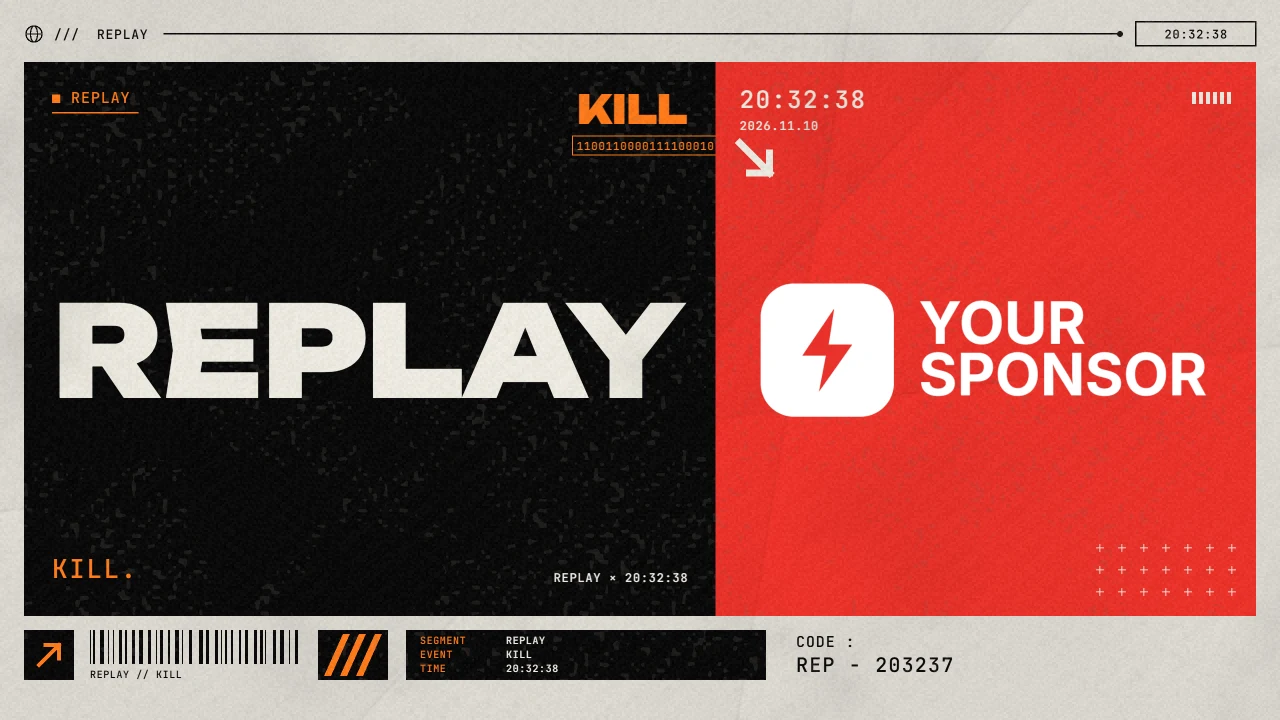
Presented by your sponsor
Every replay opens with a sting, like on TV, carrying your sponsors' logos, or your own.

Clippa clips your best plays, like kills, headshots and goals, as they happen. You replay the ones you want, straight from your own OBS replay buffer.
Free for Windows. Works with OBS Studio 28 or newer.
Every replay opens with a sting, like on TV, carrying your sponsors' logos, or your own.
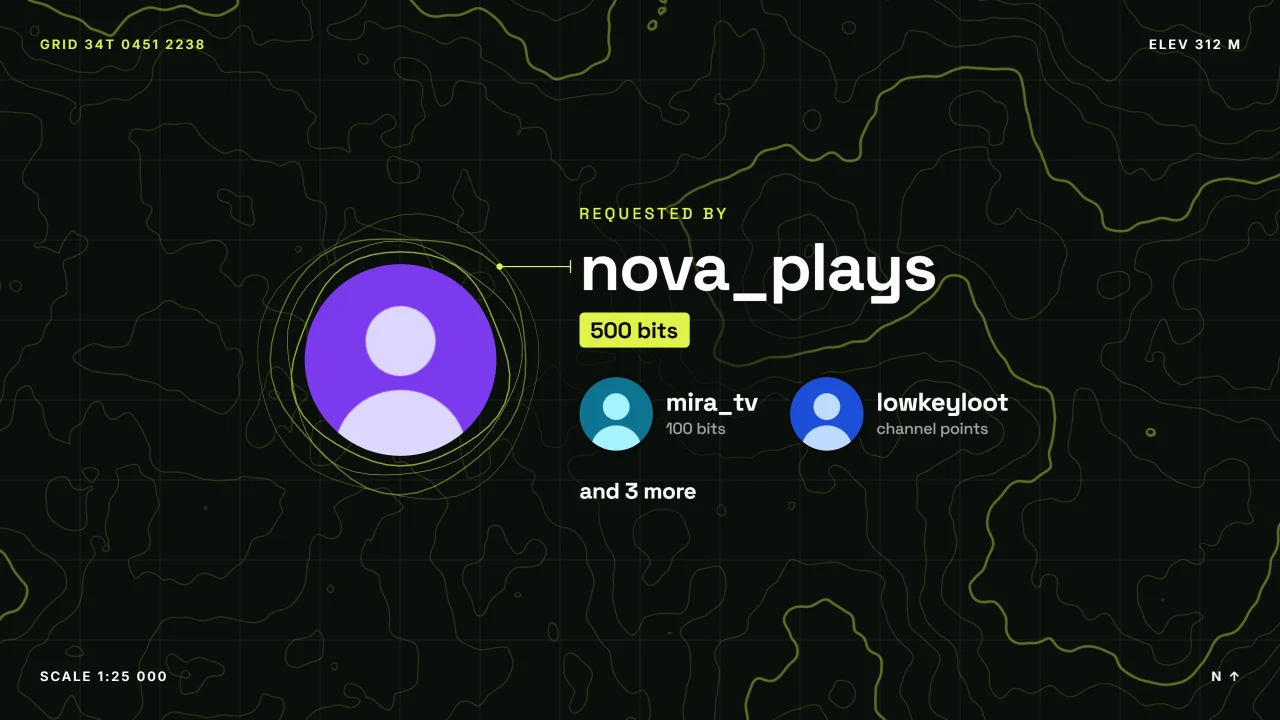
When a viewer cheers to see your play again, the sting is theirs: their name and picture, as big as any sponsor's logo. Their name stays on that clip in your recaps, and end credits thank everyone who backed you. The bits go straight to you through Twitch.
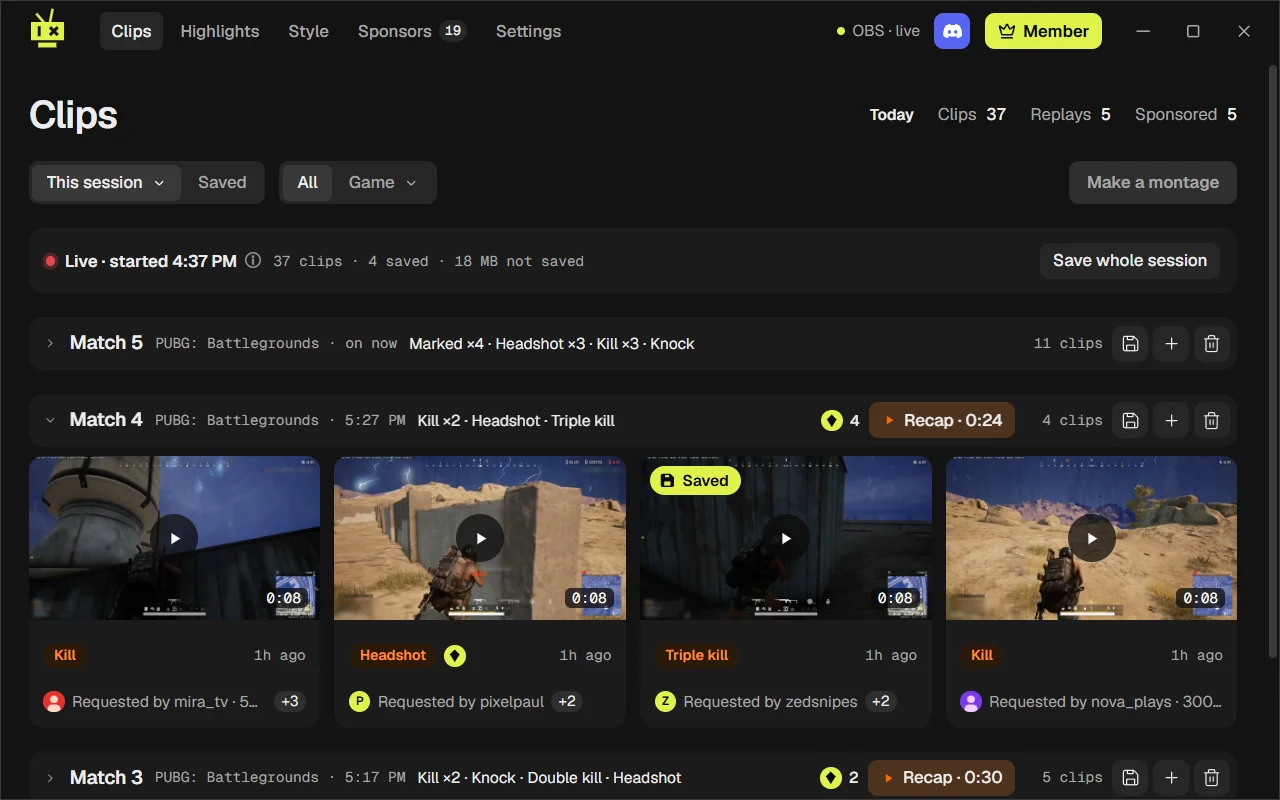
Clippa reads the game through Overwolf, so your best plays, like kills, headshots and goals, are clipped as they happen. For anything else, clip it with a hotkey or from your phone.
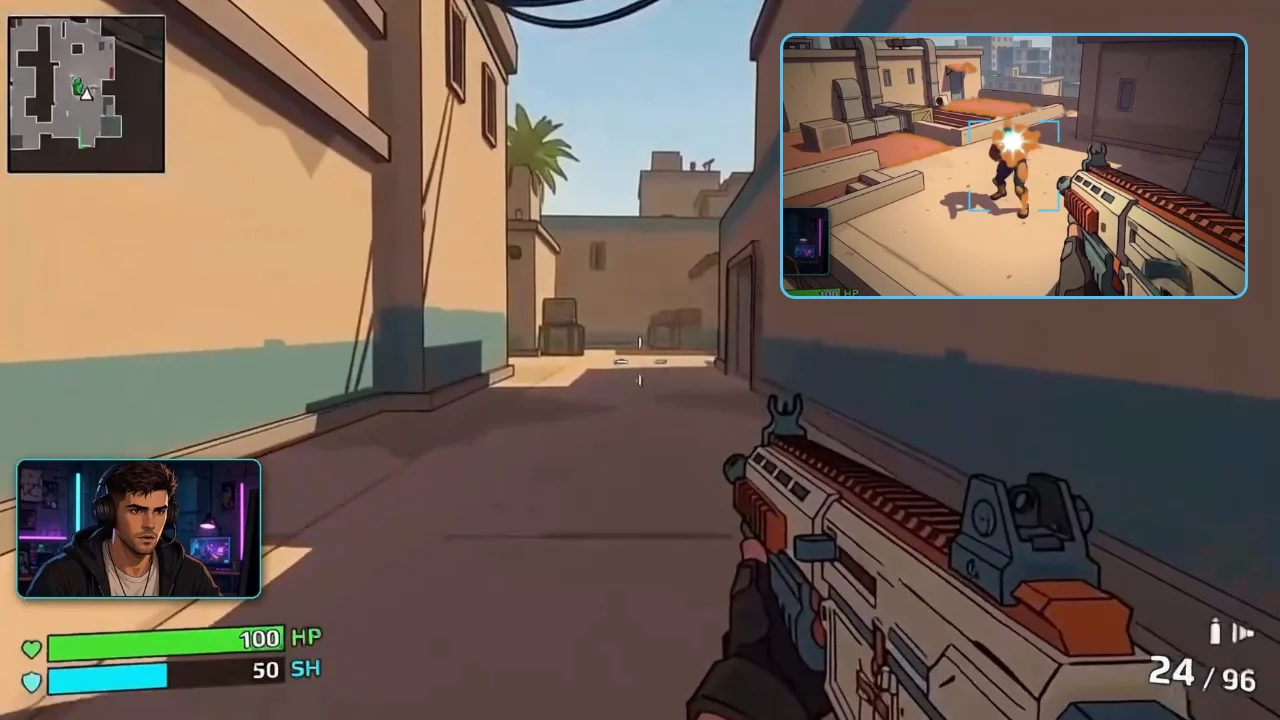
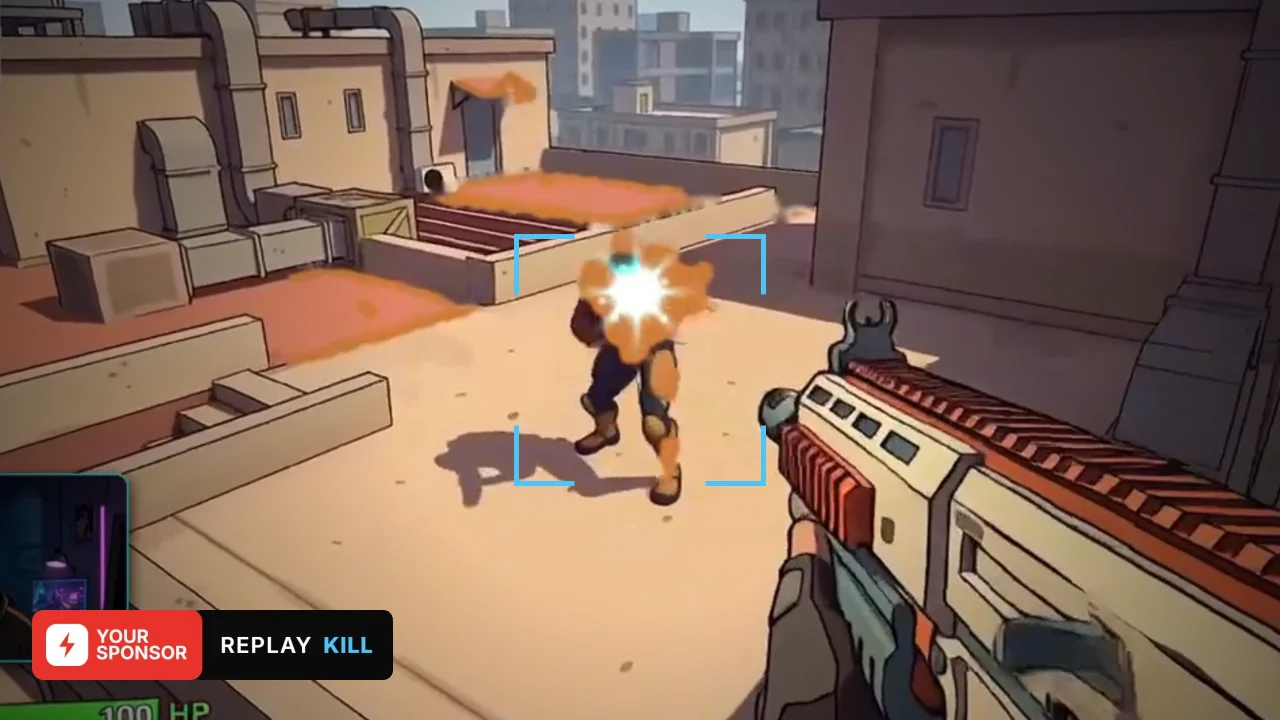
Nothing plays on its own. Your clips wait for you, and you replay the ones you want, when you want, with a hotkey or from your phone. Small in the corner while the game carries on, or across the whole screen.
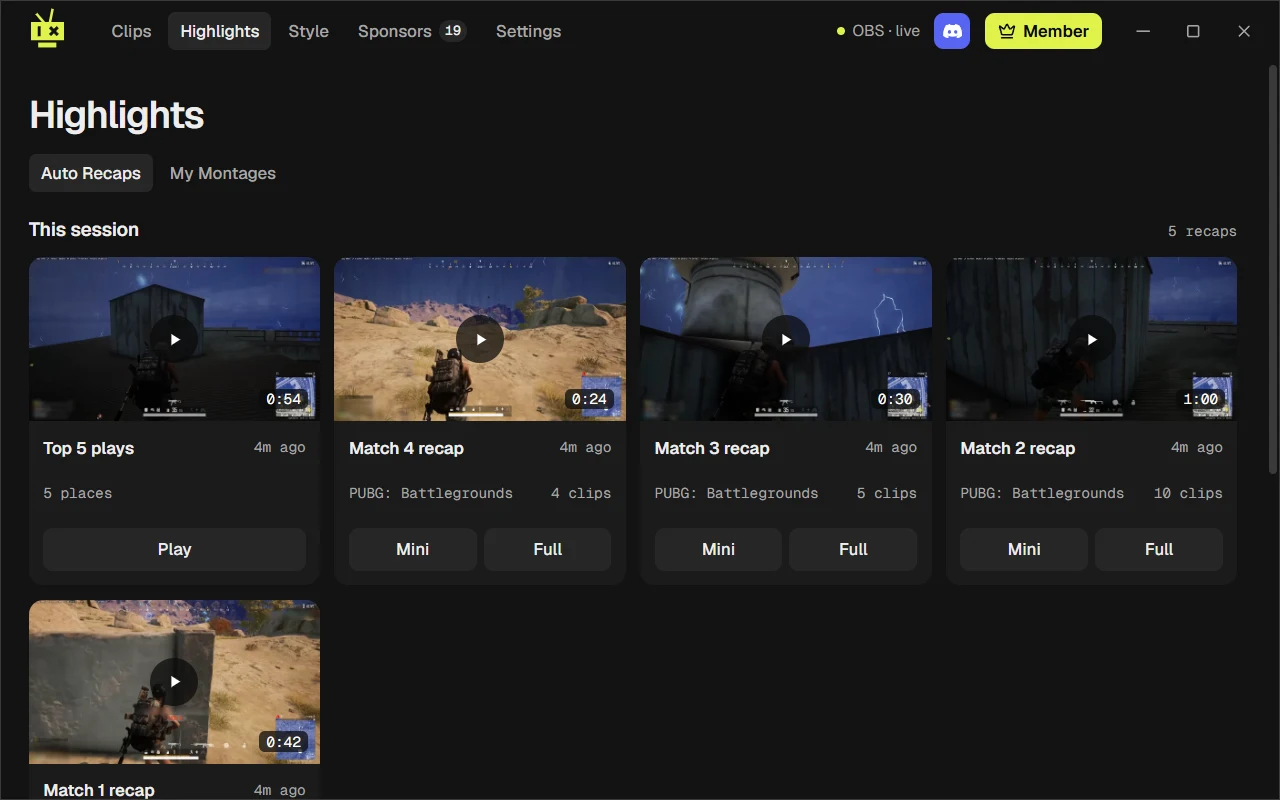
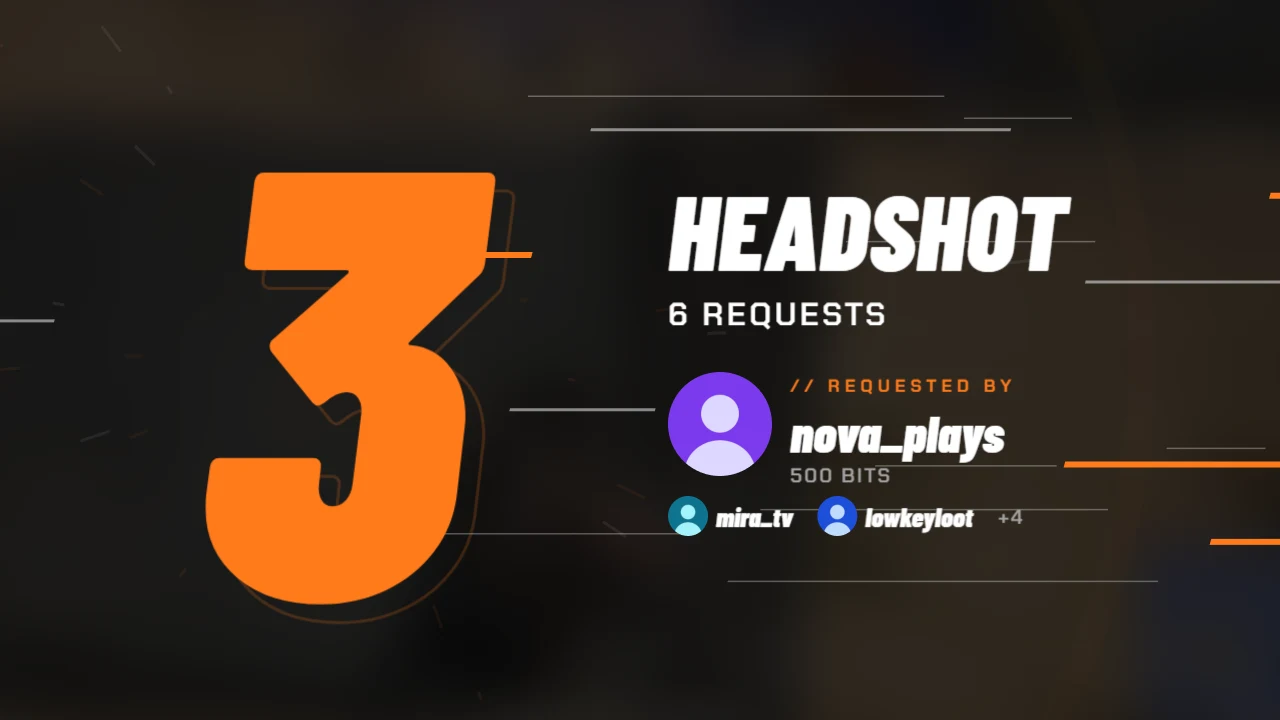
As a match ends, Clippa cuts its clips into a recap for the lobby. Run the short cut of the best ones or the whole match, or a full-screen countdown of the stream's top plays, ranked by your viewers' votes.
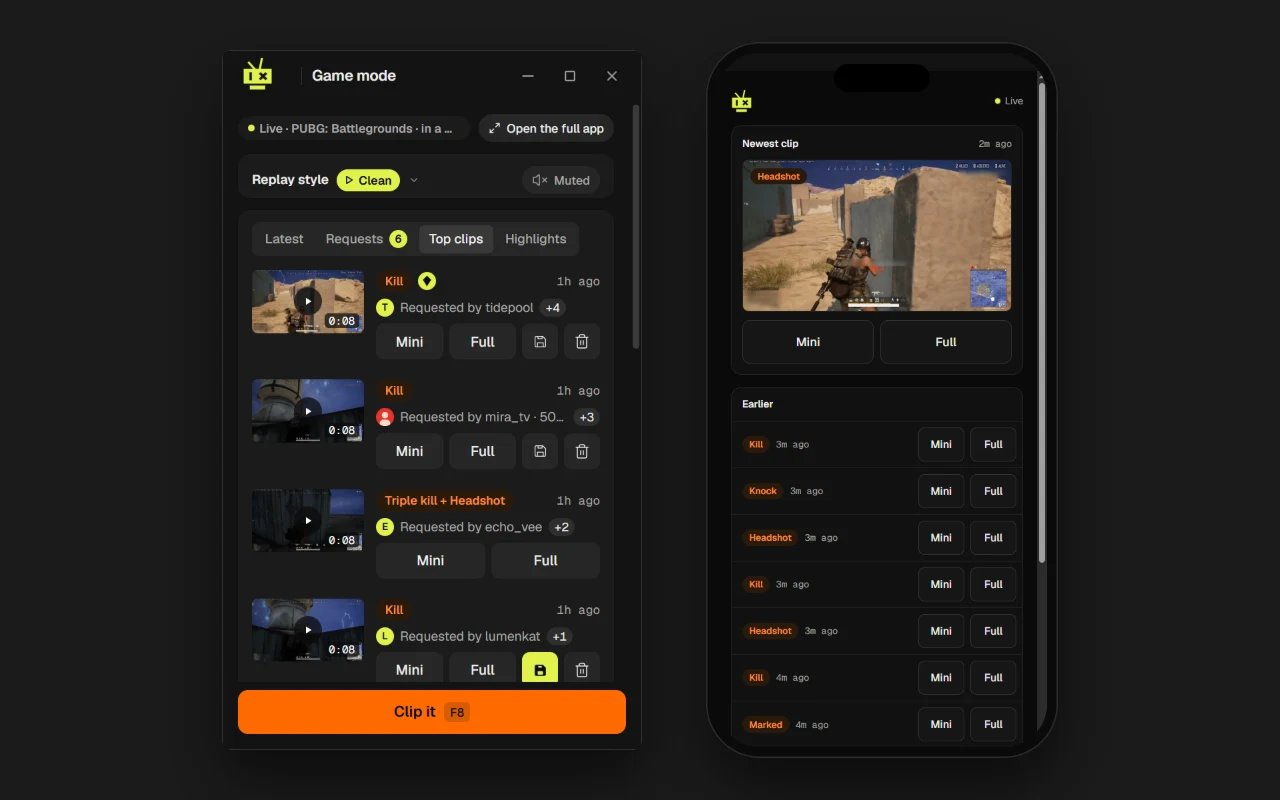
Clip and replay from your phone, a second screen or a Stream Deck.
Footage comes from OBS's own replay buffer, which can reuse what your stream encoder has already compressed. Between replays, Clippa's overlay draws nothing at all.
Clippa has no servers. Your clips, settings and OBS password stay on your PC, and clips you didn't save are cleared when your next stream starts, after a warning, so they don't fill your disk.
How it works
Install Clippa and run its setup. It switches on OBS's replay buffer and WebSocket server, adds Clippa's overlay to OBS, and asks before it changes anything else about your setup.
Clippa reads your game through Overwolf and clips your best plays, like kills, headshots and goals, as they happen. For anything else, hit Clip it on a hotkey or your phone.
When you want one, press a hotkey or tap your phone for a full-screen replay, or a mini one in the corner while you keep playing. Your sponsor's sting plays, then the replay, and the sting takes your stream back to the game.
Games
Pricing
US$0 forever
Ads in the Clippa app, never on your stream
US$4.99 a month
US$59.88 billed once a year
US$7.99 a month
Billed every month
Subscribe in the Clippa app and cancel any time. Prices in US dollars; any local tax is added at checkout. Payments are handled by Tebex, Clippa's reseller. Clippa never puts ads on your stream.
Questions
Clippa is built not to. Footage comes from OBS's replay buffer, which can reuse what your stream encoder already compressed, so saving a clip just writes a file. The overlay is an OBS browser source that stays loaded and draws nothing between replays, so a replay never waits for a browser to start.
No. Clippa runs no servers and never uploads your clips. They stay on your PC, with Clippa's database and settings. See the privacy policy.
No. Replays work wherever you stream, because they happen in OBS. Connecting Twitch is optional and only adds viewer requests, and the credit viewers get for them on stream.
A Windows PC and OBS Studio 28 or newer, which has the WebSocket server Clippa talks to built in. Clippa installs as one app.
On the free plan, Clippa's logo sits in the sting where a sponsor's would go. That's probably how you found this page. Clippa Pro swaps it for your sponsor's logo or your own.

Free from the Overwolf store, for Windows.
Hear first when Clippa launches, ask questions, report bugs, and tell us which games and stings to add next.
Join the Discord